Disconnecting from Vinted can sometimes be necessary, whether for security reasons or simply to take a break. Since 2018, I’ve noticed that the platform has continuously evolved, making this process sometimes less intuitive than it should be. With over 75 million users in 2023, Vinted has become a staple in the world of second-hand fashion. Whether you want to log out temporarily, deactivate your account, or delete it permanently, this guide will walk you through the steps, regardless of the devices you use.
Step-by-Step Guide to Log Out of Vinted
Logging out of your Vinted account is a simple yet essential action to protect your personal information. After completing hundreds of transactions on the platform, I’ve developed a security routine that always starts with this fundamental step.
On the Mobile App
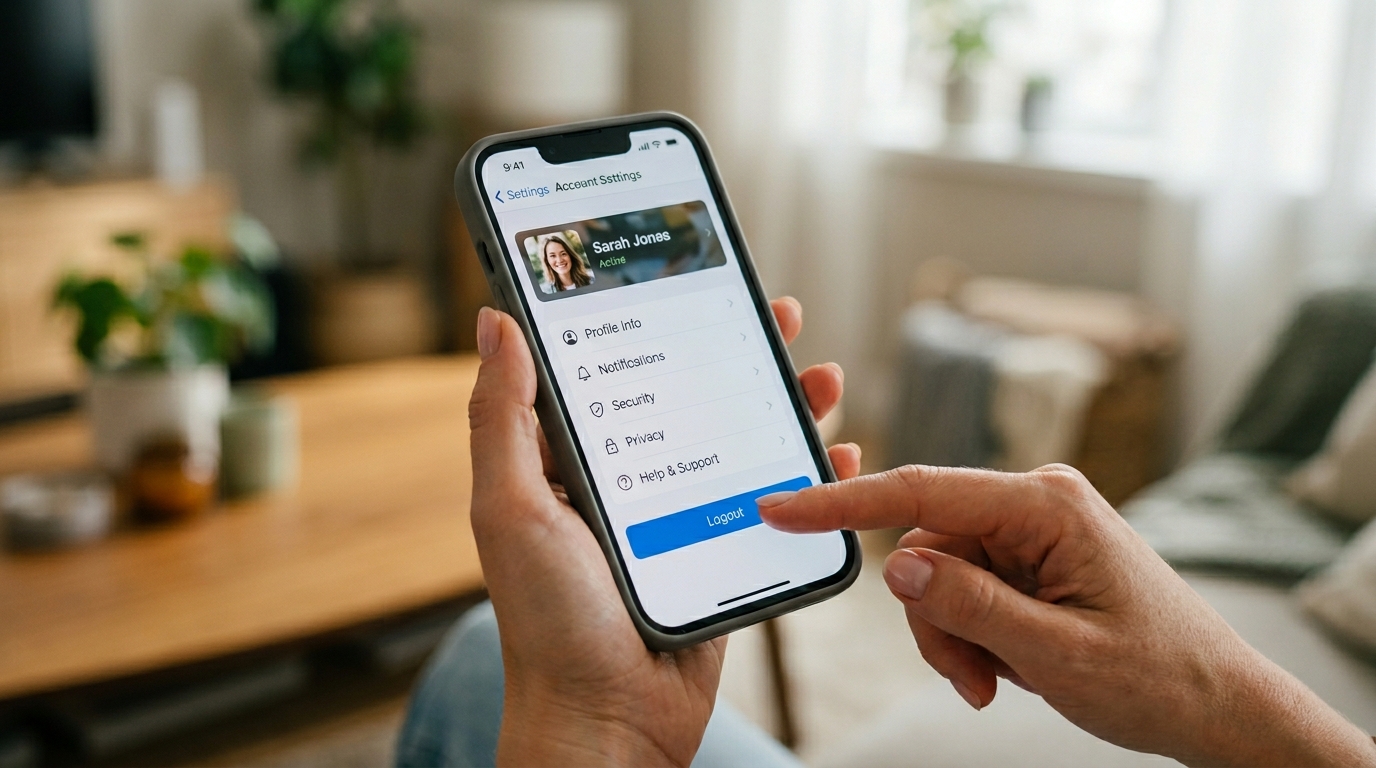
Most users access Vinted via their phones. To log out of the mobile app, follow these steps:
- Open the Vinted app on your smartphone
- Tap on the profile icon located at the bottom right of the screen
- Look for the gear icon (settings) in the upper corner
- Scroll down to the bottom of the menu and tap on the “Log Out” option
- Confirm your choice in the pop-up window
This procedure works on both Android and iOS devices. If you’re using a tablet, the interface may differ slightly, but the steps remain fundamentally the same. Logging out completely from the mobile app ensures that no active session remains open on your device.
On the Website
For those who prefer using Vinted from a computer, logging out from the website is done differently:
Start by accessing Vinted.fr from your preferred browser. Then look for your profile picture or username in the upper right corner of the page. Clicking on it will bring up a dropdown menu. Select “Account Settings” from this menu. Scroll down to find the “Log Out” option at the bottom of the page and click on it to complete the process.
Verifying Log Out
After following these steps, it’s wise to check that the log out was successful. If you’re redirected to the homepage with an invitation to log in, the operation was successful. For optimal security, completely close the browser or app after logging out, especially on shared devices.
Solutions to Common Log Out Issues
Even a simple operation like logging out can sometimes pose problems. After selling over 1,500 items, I’ve encountered nearly every possible issue, and here’s how to resolve them.
Common Technical Issues
Several obstacles can arise when logging out of Vinted. If the button is unresponsive, start by checking that the app is up to date. An outdated version can lead to malfunctions in user session management. On the website, outdated cookies can block the log out process.
Restarting the app usually resolves temporary issues. If the problem persists, try clearing your browser’s cache or reinstalling the app on your phone.
Tips for Effective Log Out
- Use the quick shortcut by tapping on the profile icon and then the arrow next to your username
- Clear the app data in your mobile device settings if the log out button remains inactive
- Delete your browser cookies to resolve persistent session issues
- Check your internet connection, as an unstable connection can prevent the process from completing
- Restart your device as a last resort to resolve deep technical issues
What to Do If You Forget to Log Out
If you realize you’ve forgotten to log out on a shared device, change your password immediately. This action will force the log out of all your active sessions on the platform. Protecting your personal data and payment information warrants this precaution, especially if you’ve made numerous purchases on Vinted.
Logging Out on Multiple Devices and Account Security
Managing security becomes crucial when using Vinted on multiple devices. I’ve found that this diversification of access multiplies potential risks to data protection.
Managing Multiple Connections
Vinted allows you to log in simultaneously on multiple devices. To effectively manage these connections:
Go to the “Security” section in your account settings. Check the list of connected devices displayed on this page. You will find information such as device type, approximate location, and the date of the last connection. For added security, log out of any sessions you do not recognize or no longer use by clicking “Log Out of This Device.”
Strengthening Account Security
To effectively protect your Vinted profile:
| Security Measure | Benefits | Recommended Frequency |
|---|---|---|
| Change Password | Limits the risk of unauthorized access | Every 3 months |
| Check Connected Devices | Detects suspicious connections | Monthly |
| Update the App | Fixes security vulnerabilities | As soon as available |
| Review Personal Information | Limits exposure of sensitive data | Quarterly |
Protecting Personal Data
Vinted stores various sensitive information such as your banking details, shipping address, and purchase history. Regularly logging out of your account serves as an essential barrier against the fraudulent use of this data. If you use the platform on a public computer, never save your credentials and always log out after each session.
Temporary Deactivation vs Permanent Account Deletion
Sometimes, logging out isn’t enough, and you might consider going further. Let’s explore the different options available.
Temporary Deactivation Option
Temporary deactivation allows you to pause your account without losing your data. Your profile becomes invisible to other users, and your listings are temporarily removed from the platform. This option is ideal if you want to take a break from selling activities.
To temporarily deactivate your account, go to settings, then to the “My Account” section. Look for the “Temporarily Deactivate” option and follow the instructions. This solution fully preserves your sales history and ratings, which is valuable when you’ve built a solid reputation on the platform.
Procedure for Permanently Deleting a Vinted Account
- Log in to your Vinted account
- Go to settings by clicking on your profile
- Scroll down to find the option “Delete My Account”
- Indicate the reason for your departure in the provided form
- Confirm your choice by clicking “Yes, really delete”
Important Consequences and Considerations
Deleting your Vinted account has irreversible consequences. All your listings, purchase and sales history, ratings, and messages will be permanently erased. This decision deserves careful consideration, especially if you’ve built a solid reputation with numerous transactions and positive reviews.
Note that even after deletion, Vinted retains some of your data for about three months for legal reasons and to prevent fraud. This retention period is standard in the e-commerce sector.
Disabling Notifications and Vinted Communications
Constant notifications can be a major reason for wanting to distance yourself from the platform. Here’s how to manage them effectively.
Managing Emails and Newsletters
To limit email solicitations without completely logging out:
- Log in to your account and go to your profile
- Select “My Settings” then “My Notifications”
- Disable the “Allow email notifications” option for a complete stop
- Alternatively, customize each type of notification according to your preferences
- Don’t forget to save your changes at the bottom of the page
Controlling Mobile Notifications
Push notifications can become overwhelming when you receive alerts for every message or new listing matching your favorites. To manage them, open the Vinted app, go to settings via the profile icon, then to “Sharing and Notifications.” You can then disable push notifications or customize them according to your specific needs.
Notification settings vary slightly between Android and iOS, but the principle remains similar. On iOS, you can also manage these settings directly from your device’s system settings.
Why Log Out of Vinted and Alternatives
Understanding the motivations behind logging out allows for better management of your relationship with the platform and analysis of other options.
Reasons to Log Out
Several reasons may justify logging out of your Vinted account. Protecting your security remains paramount, especially on shared or public devices. Limiting the time spent on the app is also a common reason, as the platform can become time-consuming. Some users also choose to log out during inactive periods to avoid constant notifications.
Staying logged in increases the risks of unauthorized access to your personal information, especially if you’ve saved payment methods on your profile.
Alternatives to Complete Log Out
If you simply want to take a break without losing access to your account, several options are available. Pause your listings instead of completely logging out. This feature allows you to temporarily remove your items from sale while keeping your profile active. You can also disable notifications as explained earlier while remaining logged in to occasionally check your messages.
- Mark your listings as “not available” to limit solicitations
- Modify your privacy preferences to limit interactions
- Reduce your activity without logging out by disabling alerts
Returning to Vinted After a Log Out
Reconnecting to your account is simple after a period of absence. Enter your username (email or username) and password on the login screen. If you’ve forgotten your credentials, use the “Forgot Password” function available on the login page.
After a long absence, take the time to check your settings and personal information. The platform evolves regularly, and some features may have changed during your inactivity. This check ensures a smooth resumption of your buying and selling activities on Vinted.