


L'essentiel
Trois extensions Chrome gratuites suffisent à couvrir l’essentiel pour un vendeur Vinted : Photoroom pour détourer vos photos, LanguageTool pour des annonces sans fautes et Bitwarden pour sécuriser votre compte. Aucune n’agit sur Vinted à votre place. Nous avons volontairement écarté les « bots » qui envoient des messages, des offres ou des favoris à votre place, ainsi que les extensions de republication automatique : ils exposent votre compte à des restrictions.
Vous trouverez aussi plus bas les 5 vérifications à faire avant d’installer n’importe quelle extension Vinted, comment l’installer ou la désinstaller, et pourquoi rien de tout ça ne marche sur téléphone.
Nos critères de sélection
- Gratuites pour un usage courant de vendeur
- Disponibles sur le Chrome Web Store et éditées par des acteurs identifiés
- Utiles au quotidien pour vendre : photos, rédaction, sécurité
- Sans automatisation de masse : l’extension agit quand vous cliquez, pas à votre place
- Pas de mot de passe Vinted demandé
Le tableau récapitulatif
| # | Extension | À quoi elle sert | Spécifique à Vinted ? |
|---|---|---|---|
| 1 | Photoroom | Détourer une photo et changer son fond | Non |
| 2 | LanguageTool | Corriger l’orthographe et la grammaire | Non |
| 3 | Bitwarden | Gérer des mots de passe uniques et solides | Non |
1. Photoroom : détourer vos photos en un clic droit
Pour qui : tous les vendeurs qui veulent des photos plus nettes et homogènes.
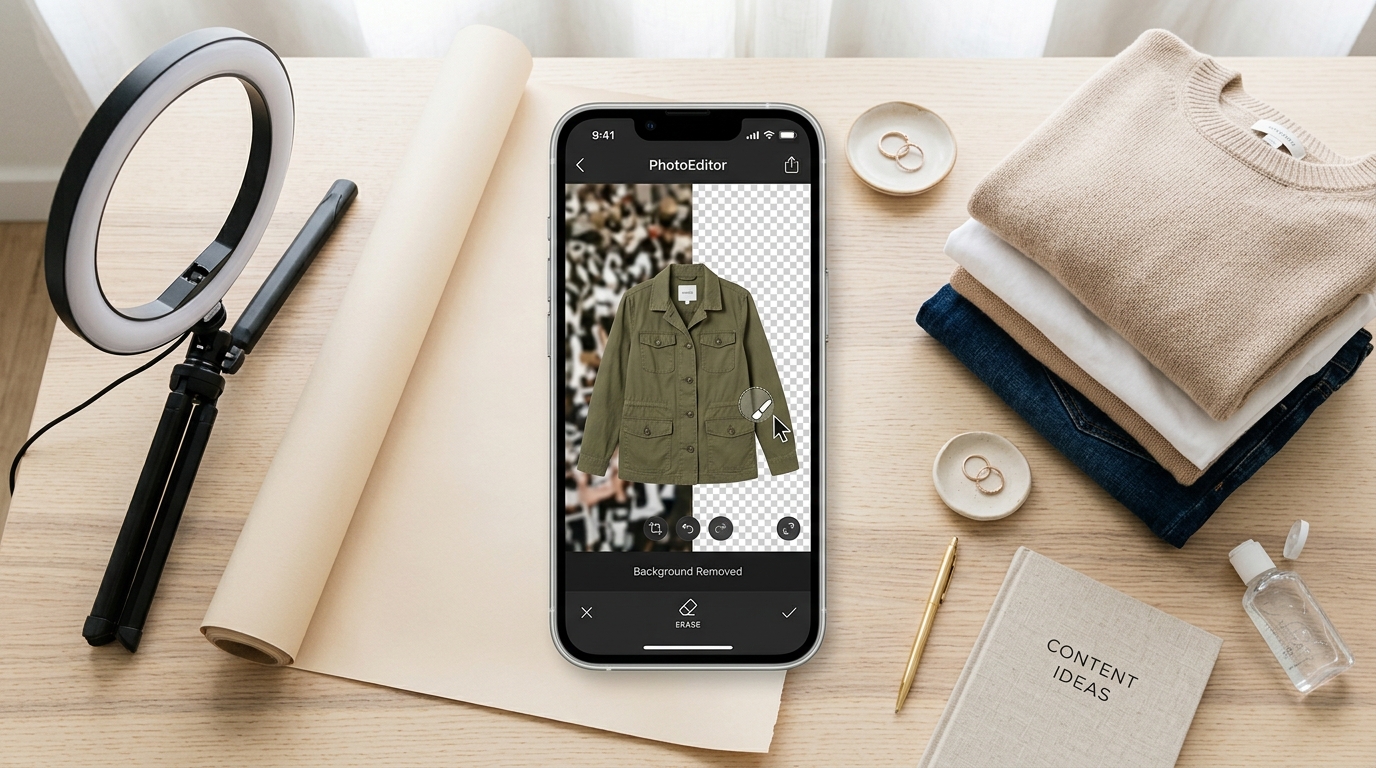
L’extension Photoroom ajoute une option « Remove Background » au clic droit sur une image en ligne. Vous pouvez ensuite télécharger le résultat, changer la couleur de fond ou ouvrir l’image dans l’application web Photoroom pour aller plus loin.
À savoir : l’image est envoyée à l’outil en ligne de Photoroom pour être traitée. Gardez aussi au moins une photo de l’article dans son environnement réel : les acheteurs aiment voir la matière, la couleur exacte et l’article porté. Nos 5 règles pour des photos Vinted qui vendent complètent l’outil.
2. LanguageTool : des annonces sans fautes
Pour qui : ceux qui rédigent leurs annonces depuis un ordinateur.
LanguageTool corrige l’orthographe, la grammaire et la ponctuation directement dans les champs de texte du navigateur, en français comme dans d’autres langues. Une annonce propre inspire davantage confiance, et une marque bien orthographiée ressort mieux dans les recherches.
Astuce : combinez-le avec notre générateur de description Vinted gratuit pour obtenir une base, puis personnalisez-la avec les mesures et l’état réel de l’article.
3. Bitwarden : protéger votre compte Vinted
Pour qui : tout le monde, surtout si votre porte-monnaie Vinted contient de l’argent.
Bitwarden est un gestionnaire de mots de passe open source qui vous aide à créer un mot de passe unique et solide pour Vinted et pour votre adresse e-mail. Comme il ne remplit vos identifiants que sur le vrai site enregistré, il constitue aussi une protection utile contre les fausses pages de connexion envoyées par des arnaqueurs.
À compléter par : la vigilance face aux messages vous demandant de sortir de Vinted ou de cliquer sur un lien. Voir notre article sur les arnaques qui visent les vendeurs Vinted.
Et pour republier vos annonces ?
Republier une annonce (la supprimer puis la recréer) la fait réapparaître parmi les nouveautés, ce qui est la façon gratuite la plus efficace de relancer sa visibilité. Pas besoin d’extension pour cela : faites-le à la main, en suivant la méthode de notre guide pour republier un article Vinted gratuitement.
À savoir : les conditions de Vinted interdisent les outils d’automatisation non autorisés. Une extension qui republie vos annonces automatiquement peut donc mettre votre compte en danger. Les risques sont détaillés dans notre article bot Vinted.
Bon réflexe : ne republiez pas tout votre dressing en boucle. Concentrez-vous sur les articles qui ne génèrent plus de vues et profitez-en pour améliorer le titre, les photos ou le prix.
5 vérifications avant d’installer une extension Vinted
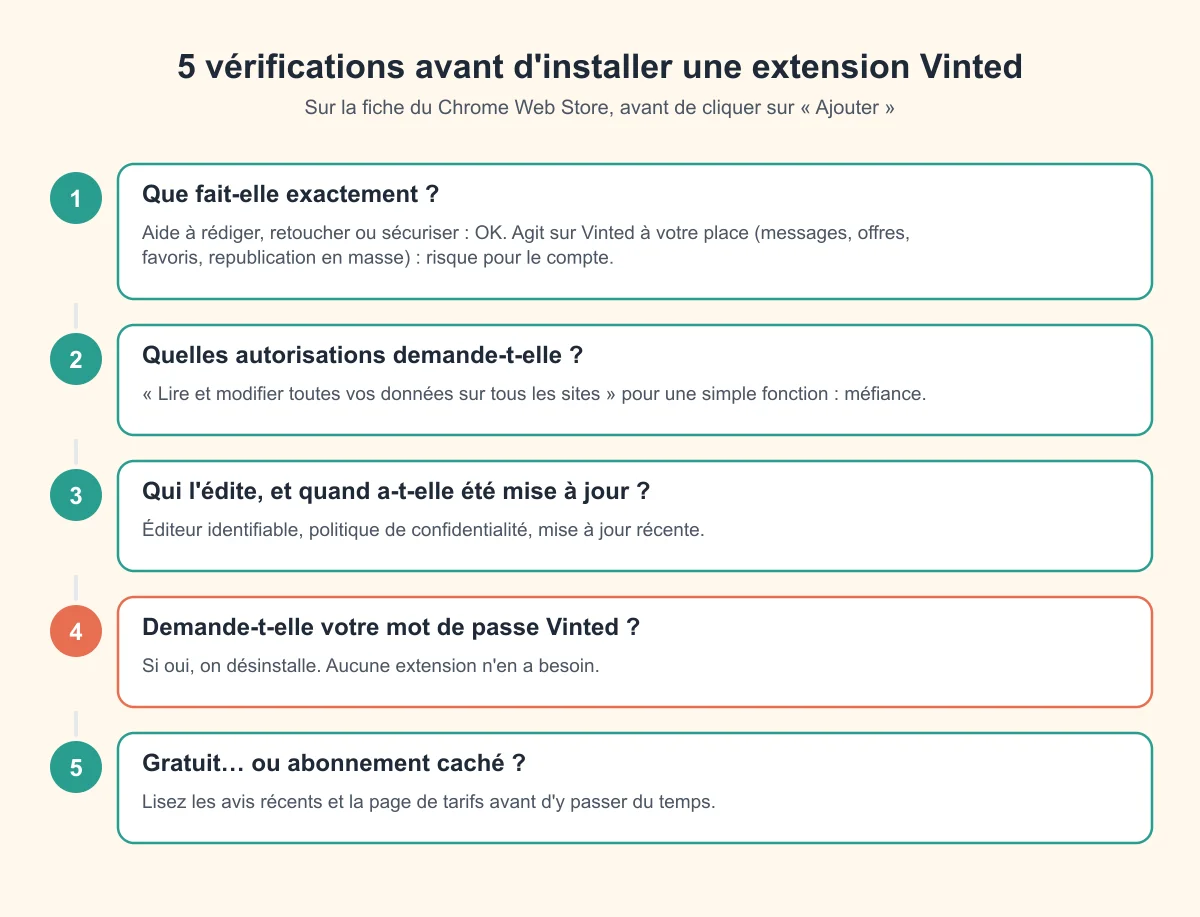
Sur la fiche du Chrome Web Store, prenez deux minutes :
- Ce qu’elle fait vraiment. Une extension qui vous aide à écrire, retoucher ou sécuriser ne touche pas à votre compte. Une extension qui envoie des messages, des offres, des favoris ou republie tout votre dressing automatiquement agit à votre place, et c’est ce type d’automatisation que Vinted sanctionne.
- Les autorisations demandées. « Lire et modifier toutes vos données sur tous les sites » pour une fonction simple, c’est trop.
- L’éditeur et la date de mise à jour. Un éditeur identifiable, une politique de confidentialité et une mise à jour récente. Une extension abandonnée peut cesser de fonctionner du jour au lendemain, ou être rachetée par quelqu’un d’autre.
- Votre mot de passe Vinted. Aucune extension n’en a besoin. Si elle le demande, on désinstalle.
- Le modèle économique. « Gratuit » sur la fiche, abonnement à l’usage ? Lisez les avis récents.
Et les extensions spécifiques à Vinted (Vinteer, Vintex…) ?
Vous croiserez des extensions conçues pour Vinted, avec des noms comme Vinteer, Vintex ou « Vinted helper ». Nous ne les avons pas testées et leurs fonctions évoluent vite : passez-les à la grille ci-dessus. Règle simple : plus une extension agit seule sur Vinted, plus le risque pour votre compte augmente. Celles qui se contentent d’afficher une information ou de vous faire gagner du temps sur une action que vous déclenchez restent les moins risquées.
Installer, épingler ou supprimer une extension
- Ouvrez la fiche de l’extension sur le Chrome Web Store, puis Ajouter à Chrome et confirmez.
- Cliquez sur l’icône pièce de puzzle à droite de la barre d’adresse, puis sur l’épingle pour garder l’extension visible.
- Pour la désactiver ou la supprimer : tapez
chrome://extensionsdans la barre d’adresse, puis utilisez l’interrupteur ou Supprimer.
Sur téléphone ? L’application Vinted ne prend pas d’extensions, et Chrome sur smartphone non plus. Ces outils s’utilisent sur ordinateur, sur vinted.fr.
Pour les calculs (frais, bénéfices, boost), pas besoin d’extension : nos outils gratuits pour vendeurs Vinted fonctionnent directement dans le navigateur.
Questions fréquentes
Les extensions sont-elles autorisées par Vinted ?
Une extension qui vous aide à rédiger, retoucher une photo ou gérer vos mots de passe n’interagit pas avec Vinted. En revanche, les conditions de Vinted interdisent les outils externes non autorisés qui agissent sur la plateforme (bots, scraping), et les automatisations de masse (messages, offres, favoris, republications) peuvent entraîner des restrictions. Utilisez-les avec prudence, ou pas du tout.
Mon compte peut-il être bloqué à cause d’une extension ?
Le risque vient surtout des extensions qui multiplient des actions à un rythme qu’aucun humain n’aurait. Une utilisation ponctuelle, déclenchée par vous, est beaucoup moins risquée. En cas de problème, consultez notre guide compte Vinted bloqué.
Faut-il un compte Vinted Pro pour utiliser ces extensions ?
Non. Ces extensions fonctionnent avec un compte Vinted standard ; le statut Vinted Pro est indépendant.
Quelle extension installer en premier ?
Si vos photos sont votre point faible, commencez par Photoroom. Si vos annonces sont en ligne depuis longtemps sans se vendre, republiez-les à la main plutôt qu’avec une extension, après les avoir améliorées. Et dans tous les cas, sécurisez votre compte avec un mot de passe unique.
Existe-t-il une extension Vinted pour téléphone ?
Non. L’application Vinted et Chrome sur smartphone ne prennent pas en charge les extensions : il faut un ordinateur et vinted.fr.
Ces extensions fonctionnent-elles sur Firefox ou Safari ?
Cela dépend de l’éditeur : LanguageTool et Bitwarden existent sur plusieurs navigateurs, tandis que Photoroom est avant tout prévue pour Chrome. Vérifiez sur la boutique d’extensions de votre navigateur.