
L'essentiel
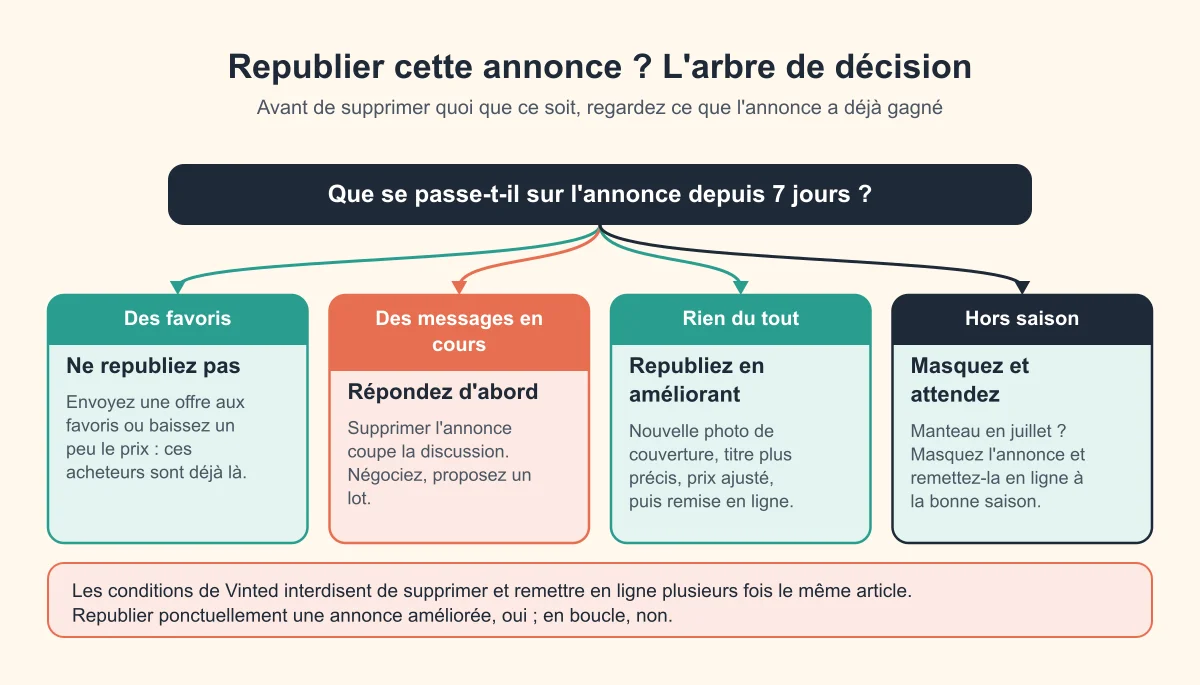
Vinted n’a pas de bouton « republier » : pour remettre une annonce en tête gratuitement, on la supprime puis on la recrée comme un nouvel article. Elle réapparaît alors parmi les nouveautés. Ça prend 3 à 5 minutes à la main. Deux règles pour ne pas vous tirer une balle dans le pied : ne republiez jamais une annonce qui a des favoris ou des messages, et ne le faites pas en boucle, car les conditions de Vinted l’interdisent.
Pourquoi republier fonctionne (et ses limites)
Une annonce fraîche a plus de chances d’apparaître dans le fil des acheteurs et en haut des recherches triées par nouveautés. Au fil des jours, elle est enterrée sous les milliers d’articles publiés après elle. La republier lui redonne cette fraîcheur, un peu comme un Boost, mais gratuitement.
Mais republier remet aussi les compteurs à zéro : vues, favoris et conversations liés à l’ancienne annonce disparaissent. Et ça ne rend pas un article plus désirable : une photo floue ou un prix trop haut le resteront. Si rien ne part, commencez par pourquoi vos annonces Vinted ne se vendent pas.
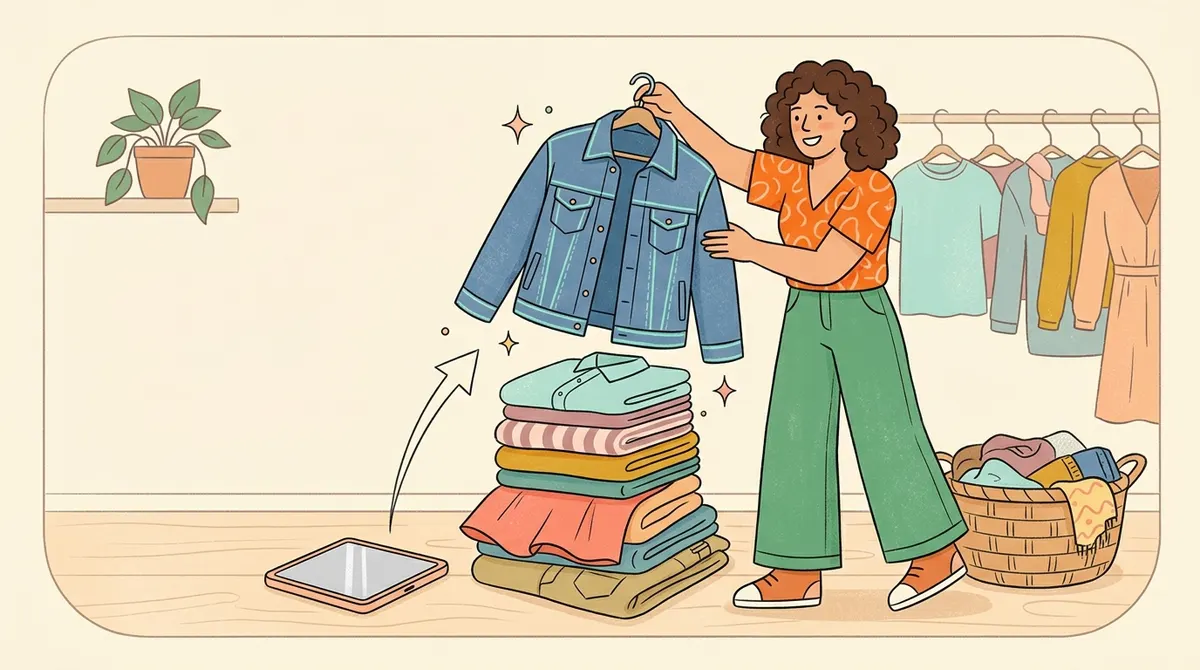
Méthode 1 : republier à la main en 5 étapes
- Sauvegardez tout : gardez les photos dans votre galerie (ou faites des captures de l’annonce) et copiez le titre et la description dans une note.
- Supprimez l’annonce : ouvrez-la, menu de l’annonce, Supprimer (détails dans comment supprimer un article sur Vinted).
- Touchez « Vendre » pour créer une nouvelle annonce.
- Remplissez à nouveau : photos, titre, description, catégorie, marque, taille, état, format du colis, prix.
- Améliorez au moins une chose, puis publiez (voir la checklist ci-dessous).
Astuce gain de temps : tenez une note « annonces » avec, pour chaque article, le titre, la description, la catégorie, la taille, le format de colis et le prix. Republier devient un copier-coller.
La checklist « republication utile »
Profitez de la remise en ligne pour changer au moins un élément :
- Photo de couverture : l’article entier, à la lumière du jour, sur fond neutre. C’est elle qui fait cliquer.
- Titre : marque + type d’article + détail clé + taille (« Veste en jean oversize Levi’s taille M »). Voir les mots-clés Vinted qui font vendre.
- Prix : comparez avec les annonces vendues du même modèle, ou utilisez le comparateur de prix Vinted.
- Description : mesures à plat, matière, défauts honnêtes.
- Format du colis : le bon format évite les mauvaises surprises au dépôt. Un doute ? Voir quel format de colis choisir.
Gros dressing : et les extensions de republication ?
Avec un gros dressing, ressaisir chaque annonce devient vite pénible, et des extensions proposent de le faire à votre place. Nous ne les recommandons pas : les conditions de Vinted interdisent les outils d’automatisation non autorisés, et une extension qui republie vos annonces automatiquement peut mettre votre compte en danger.
Le plus sûr reste la méthode 1, à la main, en vous concentrant sur quelques annonces à la fois :
- choisissez d’abord les articles sans favoris ni messages qui ne génèrent plus de vues ;
- améliorez-les au passage (photo, titre, prix) avec la checklist ci-dessus ;
- gardez un rythme humain : quelques annonces de temps en temps, pas tout le dressing d’un coup ;
- ne donnez jamais votre mot de passe Vinted à un service tiers.
Ce que disent les règles de Vinted
Les conditions d’utilisation listent parmi les interdictions le fait de « supprimer et ajouter à nouveau plusieurs fois le même Article » ou d’ajouter des articles en gros, ainsi que l’usage d’outils logiciels externes (bots notamment) non autorisés par Vinted. En cas d’abus, Vinted peut masquer des annonces, limiter des fonctions ou bloquer le compte (voir compte Vinted bloqué).
En pratique, la frontière se situe entre :
| Plutôt OK | À éviter |
|---|---|
| Republier de temps en temps une annonce restée sans réaction, en l’améliorant | Supprimer et recréer les mêmes annonces tous les jours |
| Quelques annonces à la fois | Republier tout le dressing d’un coup, à répétition |
| Une seule annonce par article | Deux annonces en ligne pour le même article |
| Une extension utilisée à un rythme raisonnable | Un bot qui republie automatiquement en continu |
Pour le bon rythme, voir notre guide sur la fréquence de republication.
Republication, Boost, baisse de prix : que choisir ?
| Levier | Coût | Ce que ça fait | Ce que ça coûte vraiment |
|---|---|---|---|
| Republication manuelle | Gratuit | L’annonce redevient une nouveauté | 3-5 min par article, favoris et vues perdus |
| Republication par extension | Gratuit | Même effet, en quelques secondes | Favoris perdus, outil non autorisé par Vinted, compte exposé |
| Baisse de prix | Gratuit | Peut relancer les membres qui ont l’article en favori | Un peu de marge |
| Offre aux favoris | Gratuit | Prix réduit proposé directement aux intéressés | Un peu de marge |
| Boost | Payant (prix affiché avant validation) | Mise en avant plusieurs jours, sans perdre les favoris | À rentabiliser |
La combinaison qui marche : offre ou baisse de prix sur les annonces qui ont des favoris, republication améliorée sur celles qui n’ont rien. Pour savoir si un Boost vaut le coup sur un article donné, faites le calcul avec le calculateur de boost Vinted, et pour vérifier qu’une baisse reste rentable, le calculateur de bénéfices.
Les erreurs qui font perdre des ventes
- Republier une annonce avec des favoris : ces acheteurs ne la retrouveront pas. Faites-leur plutôt une offre.
- Supprimer pendant une négociation : la conversation est coupée, l’acheteur part.
- Republier à l’identique : même photo, même prix, même résultat.
- Oublier un détail en recréant (taille, défaut signalé, format du colis) : relisez avant de publier, par exemple avec la checklist vendeur.
- Republier un article hors saison : une doudoune en juillet restera invisible. Masquez-la et attendez l’automne, voir le calendrier Vinted.
Questions fréquentes
Comment republier une annonce Vinted gratuitement ?
Supprimez l’annonce, puis recréez-la avec « Vendre » en reprenant photos et textes, idéalement avec une meilleure photo ou un prix ajusté. Elle réapparaît comme une nouveauté.
Republier sur Vinted est-il autorisé ?
Supprimer une annonce et en publier une nouvelle sont des fonctions normales. Ce que les conditions interdisent, c’est de supprimer et remettre en ligne plusieurs fois le même article, ou de publier en masse.
Republier supprime-t-il mes favoris ?
Oui. L’ancienne annonce disparaît avec ses favoris, ses vues et ses conversations. Ne republiez que les annonces qui n’ont suscité aucun intérêt.
Existe-t-il un boost gratuit sur Vinted ?
Pas officiellement de manière permanente. La republication d’une annonce améliorée est l’équivalent gratuit le plus proche. Voir aussi les boosts gratuits sur Vinted.
Les extensions de republication sont-elles sûres ?
Les conditions de Vinted interdisent les outils d’automatisation non autorisés : une extension qui republie vos annonces automatiquement peut mettre votre compte en danger. Republier à la main, quelques annonces à la fois, reste l’option la plus sûre.
Modifier une annonce la fait-elle remonter ?
Modifier le prix ou la description ne la remet pas en tête comme une nouvelle publication, mais une baisse de prix peut notifier les membres qui l’ont en favori. Pour les autres leviers, lisez comment faire remonter une annonce Vinted.